How to use this service
The hdsTheming service is used to apply one of the HDS themes to the pages of an Ember application.
It works by conditionally applying the .hds-theme-* and .hds-mode-* classes on the <html> element (the DOM :root) depending on the theme selected.
It's a consumer responsibility to implement the logic to persist the user's choice.
Themed tokens
The service relies on one of the themed tokens files being imported first. Which themes and modes it can apply depends on the file imported by your application.
For example, this is the structure of the CSS file for the "migration" set of tokens:
:root,
.hds-theme-default {
  /* CSS variables (tokens) specific for the HDS "classic" theme */
}

@media (prefers-color-scheme: light) {
  .hds-theme-system {
    /* CSS variables (tokens) specific for the HDS `system` theme when the OS is set to `dark` */
  }
}

@media (prefers-color-scheme: dark) {
  .hds-theme-system {
    /* CSS variables (tokens) specific for the HDS `system` theme when the OS is set to `dark` */
  }
}

.hds-theme-light {
  /* CSS variables (tokens) specific for the HDS `light` theme */
}

.hds-theme-dark {
  /* CSS variables (tokens) specific for the HDS `dark` theme */
}

:root,
.hds-theme-default,
.hds-theme-system,
.hds-theme-light,
.hds-theme-dark {
  /* CSS variables (tokens) shared across themes */
}
When a theme class, e.g. .hds-theme-dark, is applied to a DOM element, that element and its descendants use the union of the "dark" values and the "shared" values for the HDS tokens.
Setting a theme
To set a theme, inject the service and invoke the setTheme function with one of the supported theme values: default, system, light, or dark.
import Controller from '@ember/controller';
import { action } from '@ember/object';
import { service } from '@ember/service';

export default class ApplicationController extends Controller {
  @service hdsTheming;

  @action
  setTheme(theme) {
    this.hdsTheming.setTheme({ theme });
  }
}
Calling setTheme updates the classes on the <html> element. For example, applying the dark theme adds .hds-theme-dark and its mapped mode class, .hds-mode-cds-g100, by default.
To remove all HDS theming classes from the page, pass undefined as the theme argument. The appearance then falls back to the imported bundle's :root tokens: "classic" HDS for with-css-selectors--migration and with-css-selectors--advanced, or Carbon light (cds-g0) for with-css-selectors.
Advanced mode options
By default, the light theme maps to cds-g0 and the dark theme maps to cds-g100. For advanced use cases, you can change this mapping by passing lightTheme and darkTheme options:
this.hdsTheming.setTheme({
  theme: 'light',
  options: {
    lightTheme: 'cds-g10',
    darkTheme: 'cds-g90',
  },
});
These options are relevant only when your application imports the with-css-selectors--advanced themed tokens file. The standard with-css-selectors and with-css-selectors--migration files don't include the additional cds-g10 and cds-g90 modes. See themed tokens for details.
The system theme is handled in CSS through the prefers-color-scheme media query, so these options apply only when setting the light or dark themes directly.
Responding to theme changes
Use the onSetTheme callback to run application-specific logic after the theme is applied, such as logging, analytics, or persistence of the user's selection.
this.hdsTheming.setTheme({
  theme: 'dark',
  onSetTheme: ({ currentTheme, currentMode }) => {
    // do something based on the `currentTheme` / `currentMode` values
  },
});
Getting theming states
The service exposes reactive properties you can use in components, templates, or other services.
The isCarbonThemeEnabled property returns true when the active theme is system, light, or dark. You can use it to branch application logic when the "carbonized" visual language is active:
{{#if this.hdsTheming.isCarbonThemeEnabled}}
  <p>The carbonized HDS visual language is active.</p>
{{else}}
  <p>The classic HDS visual language is active.</p>
{{/if}}
The currentTheme/currentMode properties return the currently applied theme/mode.
The currentLightTheme/currentDarkTheme properties return the current mode mappings for the light and dark themes.
Because these values are reactive, templates and getters that consume them update when setTheme changes the current theme or mode.
Persisting the user's choice
The hdsTheming service applies a theme to a page but doesn't persist the user's choice.
For this reason, it's left to consumers to:
- store the user's preference in the application, for example, in
localStorageor in the user's profile. - invoke
setThemeas early as possible in the application lifecycle, to avoid a flash of content rendered with the wrong theme.
The following examples show one basic way to handle this logic, but the exact implementation will depend on your application's infrastructure, configuration, lifecycle, user interface, etc.
When the application starts, read the stored preference and apply it as early as possible:
import Route from '@ember/routing/route';
import { service } from '@ember/service';

export default class ApplicationRoute extends Route {
  @service hdsTheming;

  async beforeModel() {
    // ...

    // If you are using FastBoot, guard this browser-only restoration (including setTheme below) because localStorage and the DOM are unavailable.
    const storedTheme = localStorage.getItem('hds-theme');
    if (storedTheme) {
      this.hdsTheming.setTheme({ theme: storedTheme });
    }
  }
}
When the user selects a theme, pass it to setTheme and store the selected value:
this.hdsTheming.setTheme({
  theme: currentTheme,
  onSetTheme: ({ currentTheme }) => {
    localStorage.setItem('hds-theme', currentTheme);
  },
});
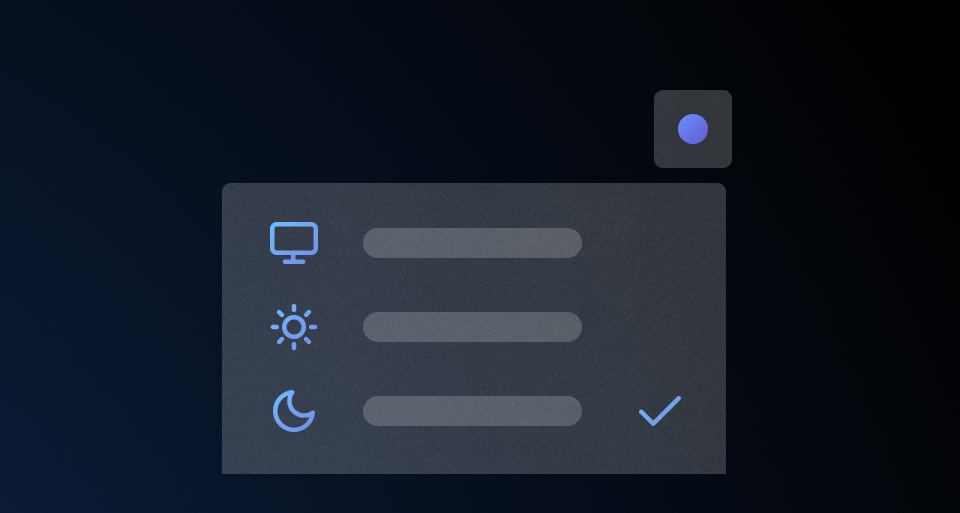
This will likely be invoked inside an action/function associated with a "theme switcher" in the UI:
<Hds::Dropdown @enableCollisionDetection={{true}} as |dd|>
  <dd.ToggleButton @text="Theme" />
  <dd.Title @text="Choose a theme" />
  {{#each this.themingOptions as |option|}}
    <dd.Checkmark
      @selected={{eq this.hdsTheming.currentTheme option.theme}}
      {{on "click" (fn this.onClickThemeSwitcherOption option.theme)}}
    >{{option.label}}</dd.Checkmark>
  {{/each}}
</Hds::Dropdown>
For details on designing and implementing a "theme switcher" for your application, according to the HDS specifications and guidance, see the theme selection pattern.
Component API
The service exposes a setTheme method to apply a theme:
setTheme
function
hds-theme-*/hds-mode-* classes on the <html> element. Takes an object with the following keys:
theme
string
- default
- system
- light
- dark
- undefined
undefined to remove theming.
options
object
lightTheme/darkTheme keys, used to map the light/dark themes to specific Carbon modes (cds-g0/cds-g10 for lightTheme, cds-g90/cds-g100 for darkTheme). Defaults to cds-g0 and cds-g100, and is relevant only if you import the "advanced" tokens file.
onSetTheme
function
currentTheme and currentMode, that you can use to run your own logic (e.g., persisting the user's choice, analytics, logging/debugging, etc.).
The service also exposes a set of reactive properties (getters) to read the current theme/mode:
currentTheme
string
default, system, light, dark, or undefined).
currentMode
string
cds-g0, cds-g10, cds-g90, cds-g100, or undefined).
currentLightTheme
string
light theme (cds-g0 or cds-g10).
currentDarkTheme
string
dark theme (cds-g90 or cds-g100).
isCarbonThemeEnabled
boolean
system, light, or dark (i.e., the "carbonized" HDS is active).
7.0.0
Added HdsTheming service for theming