The page navigation is complete. You may now navigate the page content as you wish.
Skip to main content

Documentation versions

Other versions
HDS components v7.0.0 is now available! Learn more about the changes in this major release

Borders

Borders define and separate content visually.

Border radius

This is how we use border radius in Helios components.
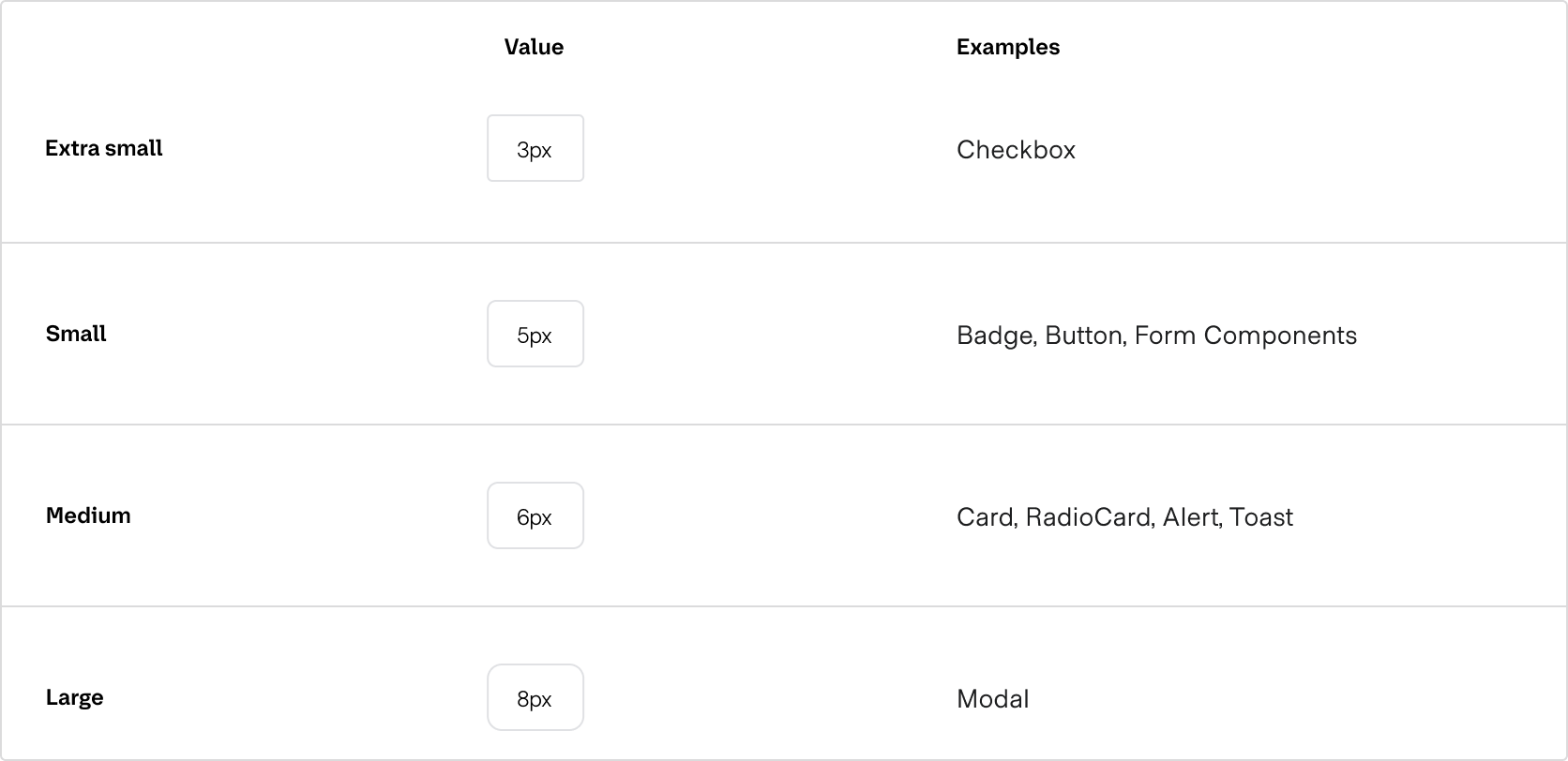
Examples of Border Radius values

When using these tokens for your own components and patterns, consider the size and prominence of the element relative to the example Helios components.

A note about versions

The tokens used here refer to v7.0 or above of the components package, and v6.0 or above of the tokens package. If you are using an older version, refer to the documentation for your version.

How to use these styles

You can apply a border radius to a UI element via design tokens.

Design tokens

Use the border radius design tokens directly in your CSS definitions.

.your-selector {
  border-radius: var(--hds-border-radius-medium);
}

Available CSS variables

Radius variables

Border radius in Carbon

In Carbon, most border radiuses used in components are squared. Here are the differences in values compared to HDS:
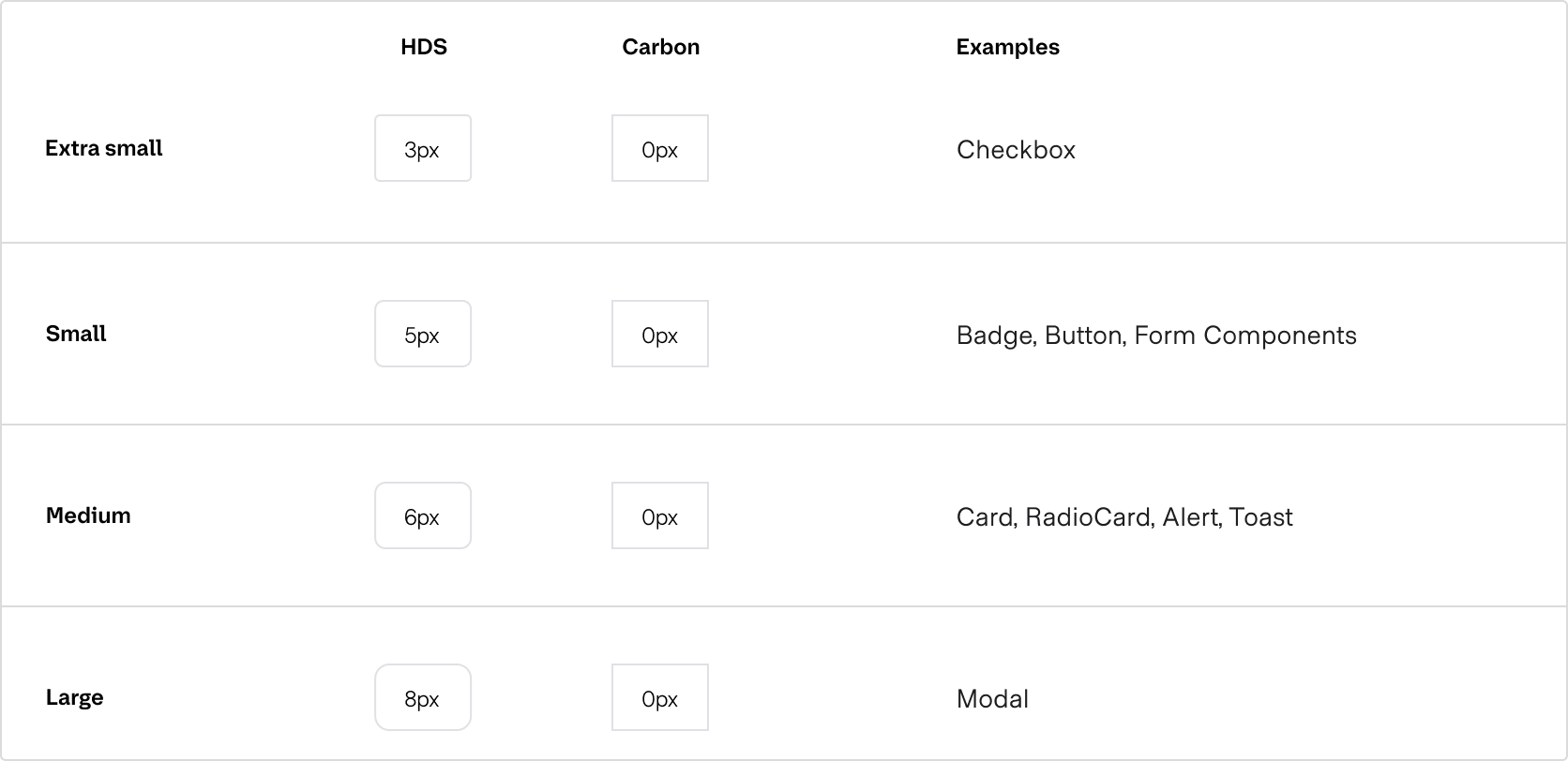
A table comparing the border radius values used in HDS and Carbon: extra small is 3px in HDS and 0px in Carbon, and is used in the Checkbox component; small is 5px in HDS and 0px in Carbon, and is used in the Badge, Button, and form components; medium is 6px in HDS and 0px in Carbon, and is used in the Card, RadioCard, Alert, and Toast components; large is 8px in HDS and 0px in Carbon, and is used in the Modal component.